


A lot of businesses have access to their call records. Fewer actually use them to understand what is happening.
Your phone system can tell you how many calls came in and how long they lasted. It may even show which extension picked up. But if calls are being missed or one team is constantly busy, those basic figures don’t always make the reason obvious.
This is where call reporting software can be useful.
It gives you a better way to look at everyday phone activity. But choosing one can be difficult when every provider seems to have a long list of features.
The better approach is to focus on the features your team will genuinely use.
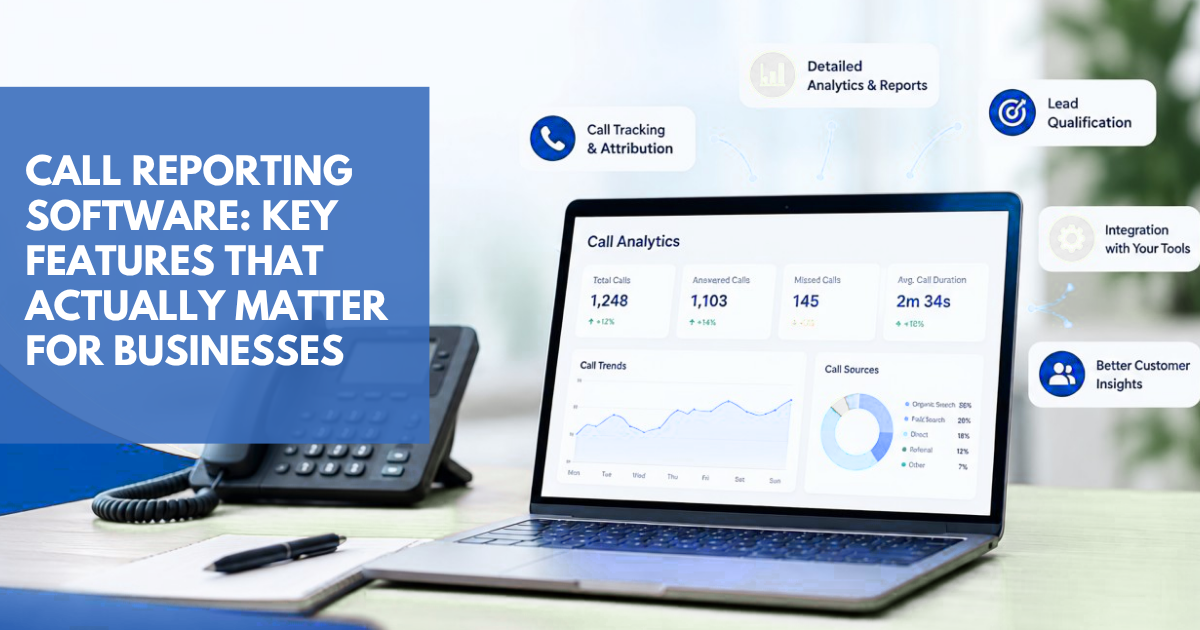
Get Clear, Detailed Reports on Every Business Call
Before looking at advanced features, check the basics.
A good report should let you look at things such as:
Calls received and made
Answered and missed calls
Call duration
Date and time
Extension activity
Department activity
Changes in call volume
This information can answer questions that a normal call log can’t.
Say a team keeps saying it’s getting too busy in the mornings. A report might show that most of its calls really are coming in between 9 and 11. That’s something a manager can work with.
See What’s Happening With Calls in Real Time
There are situations where waiting for the next report isn’t practical.
Real-time call analytics lets managers see current activity as calls are coming through.
If call traffic suddenly increases, or more calls are going unanswered, you can see the change sooner. This can be particularly helpful for sales teams and customer service departments where call volumes aren’t always predictable.
It doesn’t mean someone needs to stare at a dashboard all day. It’s simply about having current information available when there’s a reason to check it.
Create Reports That Match Your Team’s Needs
A report that works for your sales manager may not be useful to your customer service manager.
Sales might care about team activity. Customer service might be looking at missed calls or workload.
With custom reporting, you can build reports around those different requirements. Instead of sending everyone the same information, you can choose the employees, departments, dates, or call details that matter to them.
It makes the reports more relevant and easier to work through.
Use a Dashboard to See Key Call Activity at a Glance

Nobody wants to spend 20 minutes looking through a spreadsheet just to find out how many calls were missed yesterday.
A call center dashboard can make that much simpler by putting key information in one place.
Managers can get a quick look at call volumes, missed calls, and team activity without jumping between different reports.
The dashboard should save time. If people struggle to find basic information, it’s worth questioning how useful the setup really is.
Automate Regular Reports and Reduce Manual Work
Some reports are needed every week. There’s little value in having someone recreate them manually each time.
Scheduled reporting can handle those routine jobs.
For example, a manager might receive a weekly team report while senior staff get a monthly summary. Once the schedules are set, those reports can be delivered automatically.
It’s a small convenience, but it means fewer repetitive tasks for employees.
Identify Patterns in Missed Calls
Missed calls don’t always mean you’ve lost business. But regularly missing calls is something worth investigating.
The caller could be a potential customer, an existing client, or someone looking for a particular employee.
Missed call reporting helps you see when those calls are being missed.
You may find that the problem happens during lunch breaks. Or perhaps one extension regularly has more unanswered calls than the others.
Once you can see where the problem is, you can start looking at what might be behind it.
Understand Where Call Tracking Fits Into Your Reporting
For businesses that generate leads over the phone, call tracking software looks at a different part of the customer journey.
Call reporting tells you what happened to a call.
Call tracking can help tell you where that call came from.
This is particularly useful for businesses running paid advertising or other marketing campaigns. If you’re getting phone enquiries, you may want to know which campaign or channel is bringing them in.
So while call reporting and call tracking aren’t the same thing, they can complement each other.
Turn Call Data Into Information Your Team Can Act On
A reporting platform can give you plenty of numbers. That doesn’t mean all of them deserve your attention.
The useful data is the information that helps you spot a problem or make a decision.
For example, if calls are consistently highest in the first two hours of the working day, you might review how many people are available during that period.
If one department has a noticeably higher missed-call rate, you could look at its workload or call routing.
That’s where call analytics becomes practical. You’re using the numbers to understand what’s happening rather than collecting reports for the sake of it.
Make Sure Your Call Reporting Software Works With Your Phone System
Don’t forget to check compatibility before choosing a call reporting platform.
Your business may already have a phone system that works well. If reporting is the weak point, you shouldn’t necessarily have to replace everything.
A reporting solution that works with your existing setup can give you more information without creating unnecessary disruption.
If you’re using Mitel, for example, check that the platform supports your current Mitel system.
Choose Software That Can Support Your Business as It Grows
Your reporting requirements won’t necessarily stay the same.
A growing business may add more employees, extensions, departments, or locations. Naturally, that creates more call data to manage.
Cloud call reporting software can be a sensible option for businesses that expect their phone activity to increase.
The main thing is to choose something that won’t become difficult to use as your reporting needs get bigger.
How to Choose the Right Call Reporting Software for Your Business
There’s no prize for choosing the software with the biggest feature list.
Think about the problems you’re trying to solve.
If missed calls are a concern, start there. If managers don’t have enough visibility into team activity, look at dashboards and detailed reports. If employees are spending too much time preparing reports, scheduled reporting may be more useful.
Your requirements should drive the decision.
Good call reporting software should make phone information easier to understand and easier to use.
Get More Value From Your Business Calls With Callation
Your phone system is already producing useful information every day. The question is whether you’re getting enough value from it.
Callation gives businesses tools for call reporting software, call analytics, dashboards, custom reporting, and other ways to monitor phone activity.
If your current phone system gives you plenty of call records but leaves you with very few answers, better reporting may be worth considering.
Frequently Asked Questions
They create hidden gaps. Patients who cannot get through often do not try again. Tracking shows the real loss.
Logs show activity. Tracking shows full behaviour - wait time, drop-offs, and callbacks.
Yes. Clear data helps staff adjust naturally without extra training.
Because of poor timing. Call spikes are not matched with coverage.
Yes. Even a few recovered calls can increase weekly bookings.